Getting Started
import jax
import augmax
import imageio
import matplotlib.pyplot as plt

input_image = imageio.imread('https://github.com/khdlr/augmax/raw/master/docs/teddy.png')

def show_image_pair(img1, img2):
    fig, ax = plt.subplots(1, 2)
    ax[0].imshow(img1)
    ax[0].axis('off')

    ax[1].imshow(img2)
    ax[1].axis('off')
A Simple Augmentation
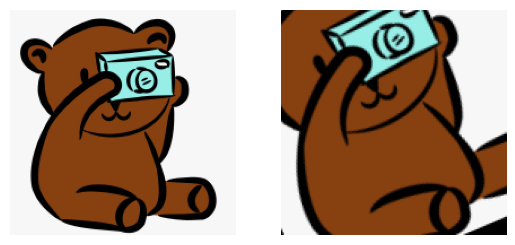
Augmentations are composed using augmax.Chain.
An important difference from other frameworks is that we need to keep track of our own PRNG state in jax. When augmenting your data with augmax, you therefore need to pass an PRNGKey along with your image.
The nice thing about this is that it is easy to get deterministic transformations. Whenever you pass a specific PRNGKey to an augmentation pipeline, the transformation will be the same.
transform = augmax.Chain(
  augmax.RandomCrop(128),
  augmax.HorizontalFlip(),
  augmax.Rotate(),
)

rng = jax.random.PRNGKey(18)
transformed_image = transform(rng, input_image)

show_image_pair(input_image, transformed_image)

jitting an Augmentation Pipeline
Now that we managed to do that, let’s try how well augmax works with jax.jit.
transformed_image = jax.jit(transform)(rng, input_image)
show_image_pair(input_image, transformed_image)
Additional Data
Transforming additional data like segmentation masks or keypoints is easy. Simply specify input_types to your augmentation pipeline.
from augmax import InputType

transform = augmax.Chain(
  augmax.RandomCrop(150),
  augmax.HorizontalFlip(),
  augmax.Rotate(),
  input_types = [InputType.IMAGE, InputType.MASK]
)

# Calculate a mock-up segmentation mask
input_mask = (input_image.mean(axis=2) < 246) | (input_image.mean(axis=2) > 248)

transformed_image, transformed_mask = transform(rng, [input_image, input_mask])

show_image_pair(input_image, transformed_image)
show_image_pair(input_mask, transformed_mask)